How to Quickly Level Up Discord's New Badges
Published on August 20, 2026 | Last updated on August 27, 2026
This script was created by Remi. If you need help, join the Discord server for support.
These new badges are still being tested, so they may not be visible to everyone yet. You can still use the script even if they have not appeared on your account.
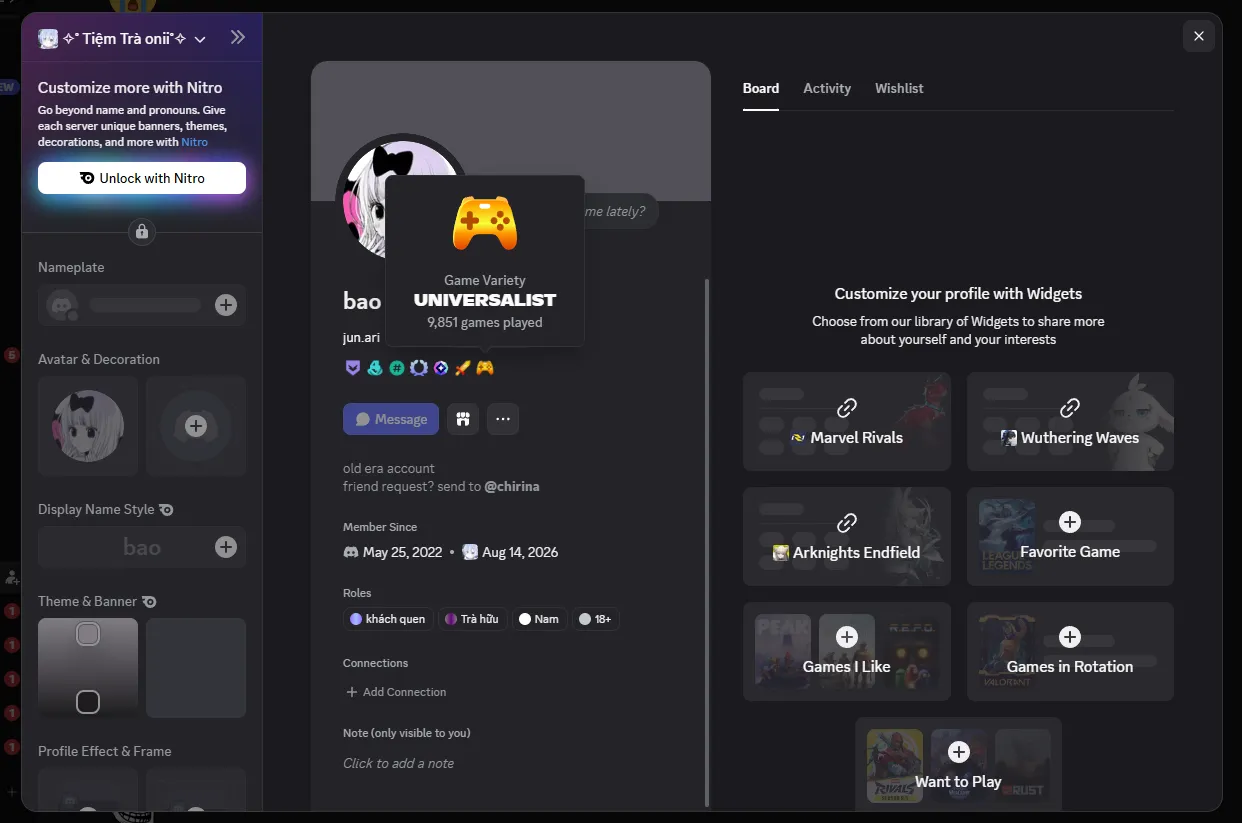
Discord recently added three new badges: Game Time, Game Variety, and Streaming. Leveling them up normally means playing a wide range of games and racking up a serious amount of playtime.
If spending thousands of hours grinding through those milestones does not sound appealing, there is a script that can simulate the game activity data sent to Discord. In this guide, I’ll walk you through using it to quickly level up the Game Time and Game Variety badges.
Download and run the script
Note: Make sure you have Python and pip installed before you begin.
First, download the script’s source code from GitHub.
If you already have Git installed, you can clone the repository instead:
git clone https://github.com/revere-group/discord-badge-spoofer.gitOnce it has finished downloading, open a terminal and move into the script directory:
cd discord-badge-spooferThen start the script:
python spoofer.pyIf everything is working properly, you should see something like this:
spoofer · discord badges
    by revere group

00:00:00 · paste your discord account token
token:
Set up the script
When you first launch it, the script will ask for your Discord account token.
Important: Your Discord token provides direct access to your account. Never share it with anyone, post it online, or enter it into code you do not trust.
Open Discord in your browser or the desktop app, then open Developer Tools (F12).
Not sure how to enable DevTools in the Discord desktop app? See Side Note: How to Enable DevTools in Discord.
Open the Console tab and run the following command to retrieve your token:
console.log(`Copy the following: ${(w=webpackChunkdiscord_app).push([[Symbol()],{},o=>{try{Object.values(o.c).some(e=>e.exports?.setToken&&(w.t=e.exports.getToken()))}catch{}}]),w.t}`)You should get a long token that looks something like this:
Copy the following: MTAwMDAwMDAwMDAwMDAwMDAw.MjAwMDAwMDAwMDAwMDAwMDAw.MjAwMDAwMDAwMDAwMDAwMDAw
Copy the token, return to the terminal, and paste it into the token: prompt:
spoofer · discord badges
    by revere group

00:00:00 · paste your discord account token
token: MTAwMDAwMDAwMDAwMDAwMDAw.MjAwMDAwMDAwMDAwMDAwMDAw.MjAwMDAwMDAwMDAwMDAwMDAw
Press Enter to continue.
Next, the script will ask for your cf_clearance cookie header:
spoofer · discord badges
    by revere group

00:00:00 · paste your cf_clearance cookie header
cookie:
Head back to Discord, open Developer Tools, and switch to the Network tab. Select one of Discord’s API requests, then look for the cookie value under Request Headers.
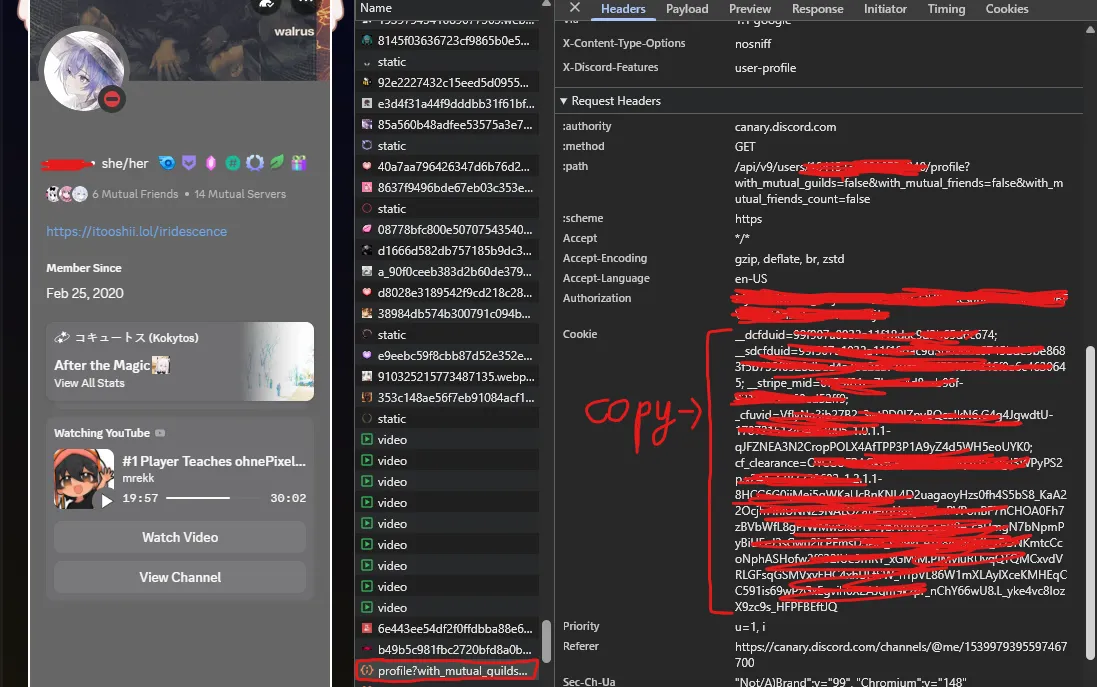
Copy the full value, return to the terminal, and paste it into the cookie: prompt:
spoofer · discord badges
    by revere group

00:00:00 · paste your cf_clearance cookie header
cookie: __dcfduid=99f907a0... (bla bla bla)
Press Enter again.
If everything is valid, the script will load the game list and take you to the main menu:
spoofer · discord badges
    by revere group

00:00:00 · loaded 10447 games
00:00:00 · claimed 0 games · 0h total
────────────────────────────────────────────
00:00:00 · 1 · claim games
00:00:00 · 2 · refresh auth
00:00:00 · 3 · set fingerprint
00:00:00 · 4 · exit
────────────────────────────────────────────
›
That’s the setup done. You can now use the script to start updating your badge progress.
Level up your Discord badges
From the main menu, enter 1 and press Enter to select claim games.
The script will then ask how many games you want to add:
00:00:00 · loaded 10447 games available
how many games? [all]:
This number directly determines your progress toward the Game Variety badge.
Enter a specific number such as 100, or type all to use every game supported by the script.
00:00:00 · loaded 10447 games available
how many games? [all]: 100
hours per game? [1]:
Next, the script will ask how many hours to assign to each game. This value determines your progress toward the Game Time badge.
For example, choosing 100 games at 50 hours per game gives you a total of 100 × 50 = 5,000 hours.
Enter the number of hours and press Enter. The script will begin processing your selected games:
00:00:00 · claiming 50h on 100 games · 5000h total
────────────────────────────────────────────
00:00:00 · sent batch 1 · 100/100 games

00:00:00 ✓ complete · 100/100 games · 5000h claimed
────────────────────────────────────────────
› press enter to continue
Once you see the complete message, the data has been submitted.
Now you can head back to Discord and check your badge progress 😎.
Wait… Where are my new badges?
Don’t panic if the badges do not show up immediately after running the script.
Discord needs some time to process the data and update your account. The changes often take around a day to appear, and occasionally even longer.
So if you have just finished running the script and nothing seems to have changed, give it some time and check again later 🐧🐧🐧.
Warning: This is not an official method provided or supported by Discord. Simulating activity or submitting data that does not reflect genuine usage may put your account at risk. Think carefully before proceeding, and never share your Discord token or cookies with anyone.
Wrapping up
And that’s how you can use Discord Badge Spoofer to quickly level up the Game Time and Game Variety badges without actually playing hundreds of games for thousands of hours.
The process itself is pretty straightforward, but the script needs your Discord account token and cookie, so be careful. Only run code you trust, never share those credentials with anyone, and keep in mind that Discord does not officially support this method.
Good luck leveling up your badges 🥀